Home › Pokémon › How to Play Pokémon GO: A Beginner's Guide to Catching, Levelling and Gyms
How to Play Pokémon GO: A Beginner's Guide to Catching, Levelling and Gyms
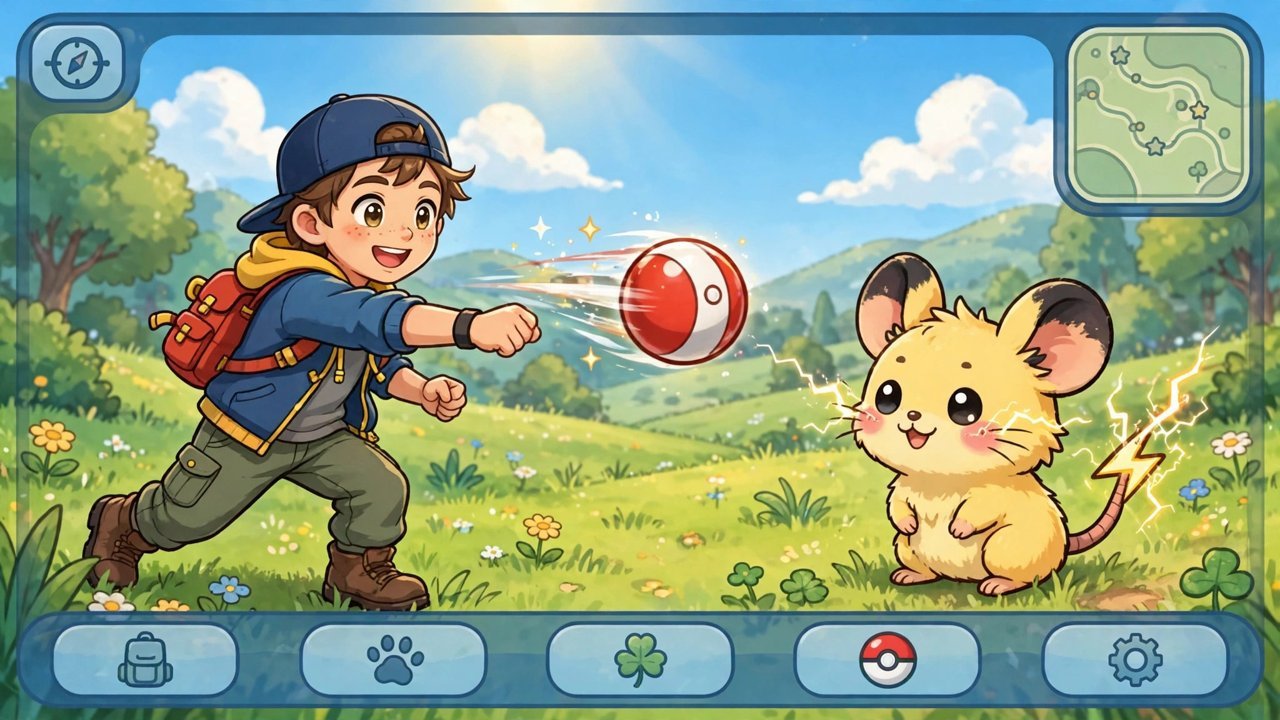
Pokémon GO is an augmented-reality game played on your phone and powered by your actual neighbourhood. The map on screen is your street, the Pokémon spawn around you in real time, and the only controller you need is a pair of shoes. If you are installing it for the first time — or returning after years away — here is how the whole thing fits together.
Your First Hour
After signing in, you create your trainer avatar and Professor Willow walks you through your first catch. Bulbasaur, Charmander and Squirtle appear in front of you; pick whichever you like. (Walk away from the trio four times and a Pikachu shows up instead, a launch-day secret that still works.) From there the routine is simple: Pokémon pop up on the map as you move, you tap one, and the catch screen opens.
Throwing is a flick of the thumb. The coloured ring inside the target circle shows your odds — green is easy, red is stubborn — and the ring shrinks as you hold the ball. Land inside a small ring for Nice, Great or Excellent throw bonuses and bonus XP. Curveballs, made by spinning the ball before you throw, quietly raise your catch rate, so build the habit early. Razz Berries calm a jumpy Pokémon, and swapping up to Great Balls and Ultra Balls helps with anything rare. The nearby tracker in the corner of the screen shows what is around you; a silhouette means a species you have never caught.
Candy, Stardust and Powering Up
Every catch pays out two currencies. Stardust is universal and gets spent whenever you power up any Pokémon. Candy is species-specific — catch a Weedle, get Weedle Candy — and it funds both power-ups and evolutions for that family. Duplicates are not dead weight: transferring spares to Professor Willow converts them into one more Candy, which is how the catch-everything playstyle fuels your best battlers. Pinap Berries double the Candy from a catch, so feed them to anything you plan to evolve in bulk.
Levelling Up and Choosing a Team
Catching, spinning stops, hatching eggs and battling all earn XP, and your trainer level (which now runs to 80) gates features and raises the ceiling on how far you can power up your Pokémon. At level 5, tapping a gym lets you join one of three teams — Instinct (yellow), Mystic (blue) or Valor (red). The choice is permanent, so pick the colour your local friends play; gyms are much easier to hold with allies nearby.
PokéStops — the blue markers on landmarks, murals and stations — are your supply chain. Spin one for balls, potions and sometimes an egg. Eggs hatch by walking real distance with the game tracking you (turn on Adventure Sync so steps count with the app closed), and gyms let you leave a defender that earns PokéCoins, up to 50 a day, while it holds its post.
Where to Go Next
- Raids: gyms host co-operative boss fights; bring friends or join remote groups for the big five-star battles.
- Daily rhythm: your first catch and first PokéStop spin of the day pay bonus XP and Stardust, and streaks build over a week.
- Keep everything at first: bag space feels huge on day one and tiny by week three. Transfer in batches, not in the field.
Above all, look up from the screen. GO rewards people who explore new places — different parks, waterfronts and city districts genuinely spawn different Pokémon — and it is a lot more fun with your eyes open.
Frequently asked questions
Is Pokémon GO free to play?
Yes. The game is free to download and play, with optional PokéCoin purchases for extra balls, storage and raid passes. PokéStops and gym defending supply everything a patient free player needs.
When do I choose a team in Pokémon GO?
At trainer level 5, the first time you tap on a gym. You will pick Instinct, Mystic or Valor, and the choice cannot normally be changed, so coordinate with friends who play nearby.
How do I evolve Pokémon in Pokémon GO?
Catch many of the same species to earn its Candy, then spend the required amount on the Evolve button. Transferring spare Pokémon of that species earns one extra Candy each.
Do I need the app open for eggs to hatch?
No. With Adventure Sync enabled, the game counts your steps through your phone's health app even while Pokémon GO is closed, and applies the distance to your eggs and buddy candy.
More Pokémon guides
 Pokémon Legends: Z-A Starters — Chikorita, Tepig or Totodile?Updated 12 November 2026
 All 20 Wild Zones in Pokémon Legends: Z-A and How to Unlock ThemUpdated 12 November 2026
 Pokémon Type Chart Explained: Every Strength, Weakness and ImmunityUpdated 12 November 2026
 The Rarest Pokémon Cards Ever — and Why They're Worth a FortuneUpdated 12 November 2026
 How to Transfer Pokémon from Pokémon GO to Pokémon HOMEUpdated 12 November 2026