Home › Minecraft › What Are Minecraft Realms and How Do They Work?
What Are Minecraft Realms and How Do They Work?
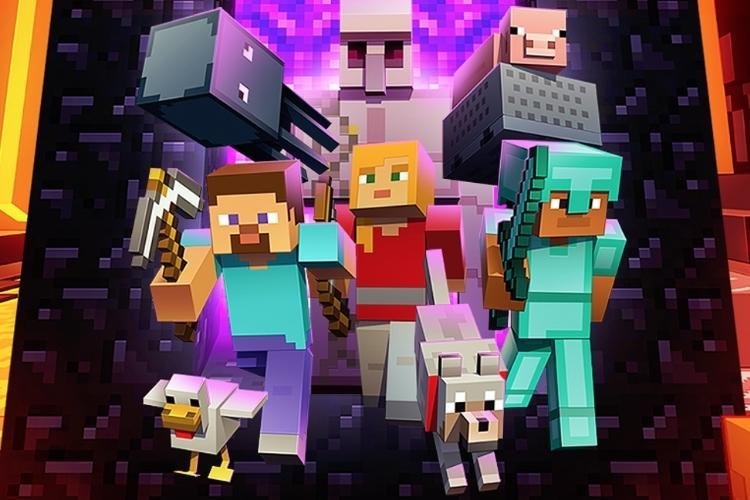
Playing Minecraft online usually means trusting public servers run by strangers — some excellent, some questionable. Realms are Mojang's answer: official, private servers that Mojang hosts and maintains for you, in exchange for a monthly subscription. If you have ever wondered whether they are worth it, here is exactly what you get.
What Is a Minecraft Realm?
A Realm is a personal server with your name on it. You choose the world, invite up to ten friends, and play together in a space nobody else can enter. Because Mojang runs the hardware, the server is available around the clock — your friends can build while you are asleep, and nobody's PC has to stay switched on hosting. Friends you invite play completely free; only the owner pays.
Cross-play works within each edition family. Bedrock Realms connect players across Windows, consoles, and mobile. Java Realms connect Windows, Mac, and Linux players. The two editions still cannot play with each other, Realms included.
Realms Plans and Pricing
| Feature | Bedrock Realms | Bedrock Realms Plus | Java Realms |
|---|---|---|---|
| Monthly price | $3.99 | $7.99 | $7.99 |
| Players | You + 2 | You + 10 | You + 10 |
| Online 24/7 | Yes | Yes | Yes |
| Friends play free | Yes | Yes | Yes (PC) |
| Marketplace content included | No | 150+ packs, updated monthly | No Marketplace |
| World slots | 3 | 3 | 3 |
The small Bedrock plan suits a couple of friends. Realms Plus is the family option, bundling a rotating library of Marketplace worlds, skins, and texture packs. Java has a single plan: no Marketplace, but full access to free community content and mods instead. New subscribers can usually claim a free 30-day trial. One hidden cost for console players: Bedrock Realms on Xbox, PlayStation, or Switch also require that platform's online subscription (Xbox Live Gold, PlayStation Plus, or Nintendo Switch Online).
How to Join a Realm
Owners share a six-digit invite code, and on PC they can also send a direct join link. Enter the code in the Realms menu and you are in — no server addresses, port forwarding, or setup. Buying your own Realm is just as simple: Java offers it from the main menu, while Bedrock hides a "Play on Realm" button in the world creation and edit screens.
Realms vs Custom Servers
The honest trade-off is control versus effort. A custom server can host practically unlimited players, run any plugins, and even earn money — but you set it up, maintain it, and arrange 24/7 hosting yourself. A Realm caps you at ten guests and Mojang's feature set, yet everything is automatic: creation, backups, updates, and security are handled for you. For a big community, go custom. For a safe, always-on world for your actual friends, a Realm is hard to beat.
One limitation to know before subscribing: Realms only run full release versions of Minecraft — no snapshots, betas, or Preview builds.
What Happens If You Cancel?
Your world does not vanish the day the subscription ends. You can download a local copy of your Realm world and carry on building in single-player, or move it to a custom server later. The Realm itself simply stops being playable online until you renew. That safety net makes Realms a low-commitment way to host: if your group drifts away from the game, nothing you built together is lost.
Frequently asked questions
Can you have more than 10 players on a Realm?
No. Ten invited players plus the owner is the hard limit on every Realms plan. Larger groups need a custom server instead.
How do I play on a Realm for free?
Join a friend's Realm. Invited players never pay — only the Realm owner holds the subscription. New owners can also start with a free 30-day trial.
How do I join someone else's Minecraft Realm?
Ask the owner for their six-digit invite code and enter it in the Realms section of the game. On PC, owners can also share a one-click join link.
Do Realms work on snapshots or beta versions?
No. Realms only support full release versions of Minecraft, not snapshots, betas, or the Minecraft Preview.
More Minecraft guides
 Sea Pickles in Minecraft: How to Get, Farm and Use ThemUpdated 12 November 2026
 What Does Smite Do in Minecraft? Smite Enchantment GuideUpdated 12 November 2026
 How to Turn On Vibrant Visuals in MinecraftUpdated 12 November 2026
 What Do Horses Eat in Minecraft? Every Food and Its EffectsUpdated 12 November 2026
 All Wolf Variants in Minecraft and Where to Find ThemUpdated 12 November 2026