Home › Minecraft › 10 Best Minecraft Shaders for Low-End PCs
10 Best Minecraft Shaders for Low-End PCs
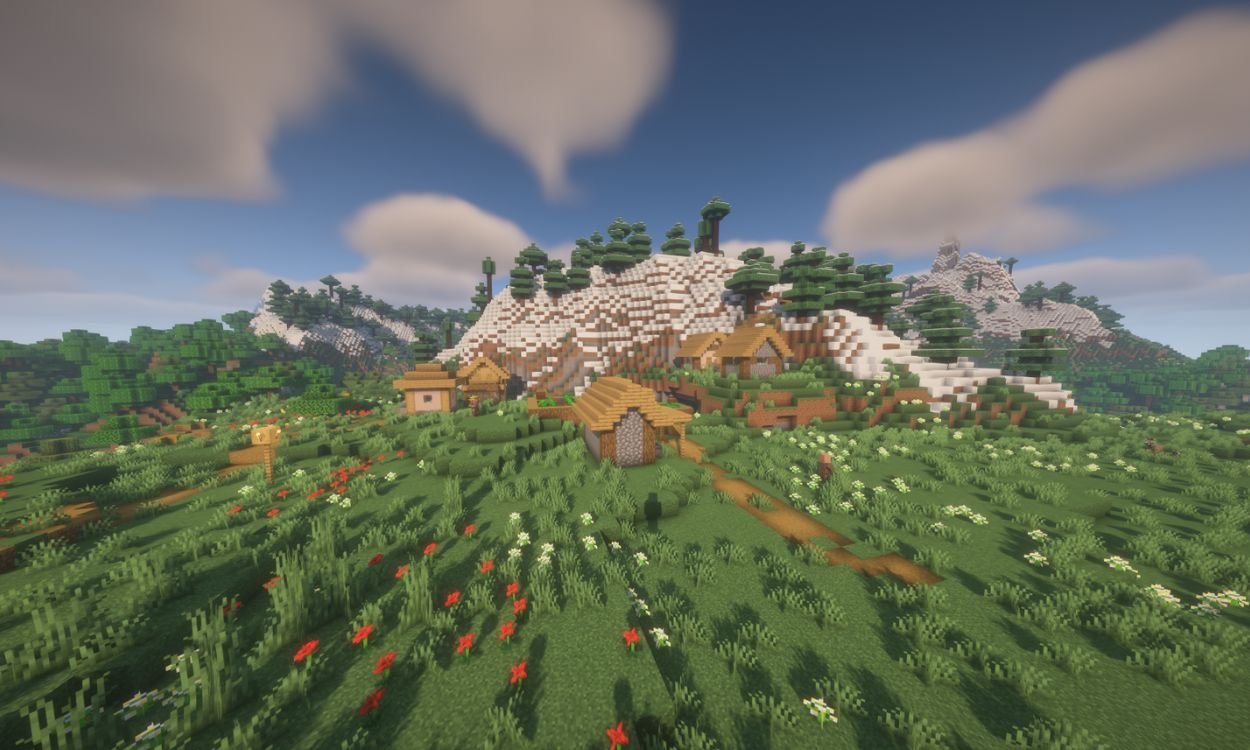
Shaders have a reputation for melting graphics cards, and the flagship packs earn it. But a whole tier of shader packs is built the other way around: tiny code, careful effects, and settings menus that let you trade beauty for frames one toggle at a time. If your PC wheezes at vanilla Minecraft, start with this list — every pack here is chosen specifically because it respects weak hardware.
The 10 Packs, Compared
| Shader | Best for | Standout feature |
|---|---|---|
| BSL Shaders | Almost everyone | Warm cinematic lighting and water, runs on nearly any system via OptiFine or Iris |
| Complementary Reimagined | Vanilla fans | Keeps Minecraft's blocky look, potato-to-ultra presets included |
| MakeUp – Ultra Fast | Tinkerers | Nearly every effect (bloom, motion blur, waving plants) can be toggled individually |
| Photon | Sky lovers | Rebuilt sky, volumetric clouds and glassy water reflections |
| Sildur's Basic | Weakest PCs | Waving water and grass, anti-aliasing, warm tint, tiny cost |
| Tea Shaders | Atmosphere | Custom fog, biome-specific effects, darker and clearer water |
| DrDestens MCShaders | All-round upgrade | Reflective water, bloom and anti-aliasing, highly optimized |
| Spooklementary | Horror nights | Desaturated fog, blood moons, flickering lights and screen shakes |
| Nostalgia | Old-school players | Recreates early Minecraft's look with soft shadows and retro lens effects |
| Cyanide | PvP and minigames | Minimal code, vibrant contrast, removes visual clutter |
Which One Fits Your PC?
If you just want Minecraft to look nicer: install BSL. Its lighting and water are the benchmark other lightweight packs are judged against, and its internal settings scale down gracefully. Complementary Reimagined is the alternative if BSL's realism drifts too far from the vanilla style for your taste — it deliberately keeps clouds and foliage blocky.
If your frame rate is already struggling: start with Sildur's Basic or Cyanide. Cyanide was written with very few lines of code on purpose; competitive players use it because it sharpens contrast and drops unnecessary animation, which is also why it suits PvP servers and minigames. MakeUp – Ultra Fast is the middle path: begin with everything off and enable shadows, then waving plants, then bloom, until the FPS counter tells you to stop.
If you want a mood, not just polish: Spooklementary turns the world grey and thick with fog, then occasionally throws a blood moon or a shaking screen at you. Tea goes the other direction — calmer, clearer, with biome-tinted fog and star fields that make night exploration genuinely pretty (and genuinely dark, so carry torches).
How to Install Any of These
Every pack here needs a shader loader: OptiFine or Iris. Install one of those for your exact game version, download the shader's ZIP (do not unzip it), and drop it into the shaderpacks folder inside your Minecraft directory. Then select it under Video Settings → Shader Packs. One warning that saves headaches: Photon does not support Apple GPUs, and Nostalgia needs OpenGL 4.3 on Windows or Linux — check those two before troubleshooting a black screen.
Tuning Any Pack for More FPS
Whichever pack you choose, three settings decide your frame rate: shadow resolution, render distance for shadows, and water reflections. Drop shadow quality first — it is the most expensive and the least noticeable in motion. Turn reflections to basic or off next, and if the pack offers a potato or low preset, use it as your starting point rather than trimming down from ultra. You will keep most of the look and claw back most of the frames.
Frequently asked questions
Can a low-end PC really run Minecraft shaders?
Yes, with the right pack. BSL, Complementary Reimagined and Sildur's Basic are built to scale down to weak hardware, and MakeUp – Ultra Fast lets you disable effects one by one until your frame rate recovers.
Do I need OptiFine to use these shaders?
You need a shader loader — either OptiFine or Iris. Most packs on this list support both; install the loader for your exact Minecraft version, then place the shader ZIP in the shaderpacks folder without unzipping it.
What is the lightest shader for Minecraft?
Cyanide is among the very lightest: it is written with minimal code, focuses on tone mapping, bloom and contrast, and is popular on PvP servers precisely because it costs almost no performance.
Why is my screen black after enabling a shader?
Usually a compatibility issue. Photon does not support Apple GPUs, and Nostalgia requires OpenGL 4.3 or newer on Windows/Linux. Also confirm your loader version matches your game version exactly.
More Minecraft guides
 Sea Pickles in Minecraft: How to Get, Farm and Use ThemUpdated 12 November 2026
 What Does Smite Do in Minecraft? Smite Enchantment GuideUpdated 12 November 2026
 How to Turn On Vibrant Visuals in MinecraftUpdated 12 November 2026
 What Do Horses Eat in Minecraft? Every Food and Its EffectsUpdated 12 November 2026
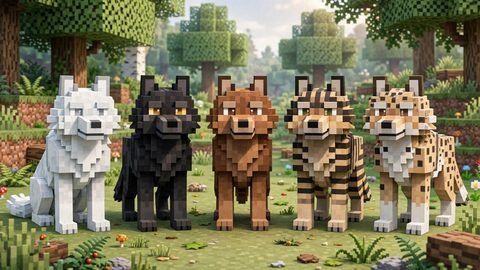 All Wolf Variants in Minecraft and Where to Find ThemUpdated 12 November 2026