Home › Minecraft › Best Minecraft Mods: 16 Essential Mods Worth Installing First
Best Minecraft Mods: 16 Essential Mods Worth Installing First
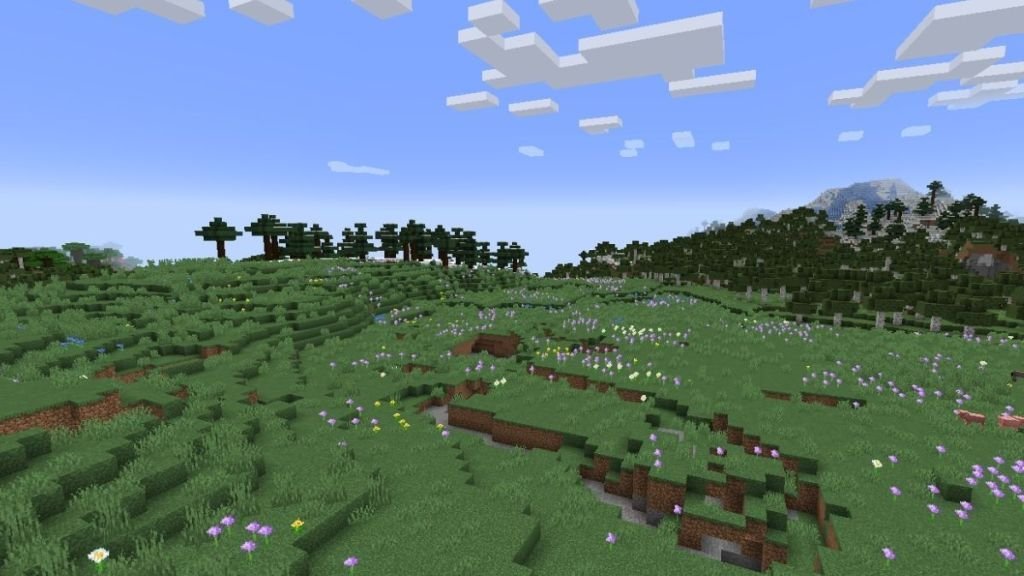
There are thousands of Minecraft mods, and most "top 50" lists are really a dare to install all of them at once. Don't. A good modded game starts with a small stack of essentials that fix the vanilla game's rough edges, then adds one or two big content mods that match how you like to play. These sixteen are the ones that survive from world to world on most players' PCs. All mods here are for Java Edition – Bedrock does not support them – and each needs a mod loader (Forge, Fabric or NeoForge) matched to your game version, downloadable as .jar files from CurseForge or Modrinth.
The Essentials: Install These First
| Mod | What it does |
|---|---|
| OptiFine | The classic all-in-one: big FPS gains, shader support, zoom, dynamic lighting and pages of graphics options. Low-end PCs swear by it. |
| JEI (Just Enough Items) | A searchable panel of every item and recipe in the game, modded or not. Once you have played with JEI, vanilla crafting feels like guessing. |
| Jade | Look at any block or mob and a neat tooltip shows its name, health, contents and state. The quality-of-life mod nobody uninstalls. |
| AppleSkin | Shows exactly how much hunger and saturation each food restores, plus your hidden saturation and exhaustion. Food stops being a mystery. |
| Xaero's Minimap | A clean corner minimap with coordinates, waypoints and automatic death markers, styled to look like it shipped with the game. |
| Mouse Tweaks & Crafting Tweaks | Faster dragging, scrolling and grid-balancing in inventories and crafting tables. Tiny mods, hours saved. |
| Clumps | Merges scattered XP orbs into one big orb, killing the lag spikes around XP farms. |
| Bobby | Caches server chunks on your PC so your view distance on multiplayer servers can stretch far past the server's own limit. |
For Builders
WorldEdit is the in-game construction kit: copy mountains, replace a thousand blocks with one command, raise castles with brushes instead of by hand. Axiom takes the same idea further with a professional editor mode for serious terraformers. And Chipped quietly multiplies your palette by adding variant textures for dozens of everyday blocks, so stone builds stop looking like one repeated tile.
For Explorers
Biomes O' Plenty floods the world with new biomes, trees, flowers and blocks, while Terralith achieves a similar wow factor using only vanilla blocks – nearly a hundred new biome variants with no new items to learn. Pair either with BetterNether and BetterEnd, which give the other two dimensions the variety the Overworld gets. Then add Waystones: craftable teleport stones that finally end the long walk home, and Nature's Compass, which points you at any biome you name.
For a Whole New Game
When essentials stop being enough, three names dominate. Create adds rotating machinery – gears, conveyor belts, trains – and lets you build moving factories that feel like they belong in the game. Origins lets each player pick a species with real powers and drawbacks, transforming multiplayer completely. Cobblemon rebuilds the Pokémon fantasy inside Minecraft with catching, battling and breeding. Each of these pairs well with Storage Drawers or a backpack mod like Traveler's Backpack, because new adventures generate a heroic amount of stuff.
Installing Mods Safely
Download only from CurseForge or Modrinth – reposted .jar files on random sites are the classic malware vector. Match three things before launching: the mod's version, your Minecraft version, and the loader it was built for. Add mods a few at a time rather than fifty at once, so when something crashes you know who to blame, and keep a backup of any world you love before modding it.
Frequently asked questions
Do Minecraft mods work on Bedrock Edition?
No. Mods are a Java Edition feature and need a loader such as Forge, Fabric or NeoForge. Bedrock's closest equivalents are add-ons and Marketplace packs.
What is the most downloaded Minecraft mod of all time?
JEI (Just Enough Items) and OptiFine are consistently at the very top of the download charts – one shows you every recipe, the other makes the game run and look better.
Where is it safe to download Minecraft mods?
CurseForge and Modrinth are the two trusted homes of Minecraft mods. Avoid random download sites and reposted files, which are a common source of malware.
How many mods should I install at once?
Start with a handful of quality-of-life mods and add more gradually. Dropping fifty mods in at once makes crashes hard to diagnose and can wreck performance.
More Minecraft guides
 Redstone Components in Minecraft: A Complete GuideUpdated 12 November 2026
 Respiration Enchantment in Minecraft: Breathe Longer UnderwaterUpdated 12 November 2026
 What Does Smite Do in Minecraft? Smite Enchantment GuideUpdated 12 November 2026
 What Do Horses Eat in Minecraft? Every Food and Its EffectsUpdated 12 November 2026
 All Wolf Variants in Minecraft and Where to Find ThemUpdated 12 November 2026