Home › Roblox Codes › Solo Showdown Codes (November 2026)
Solo Showdown Codes (November 2026)
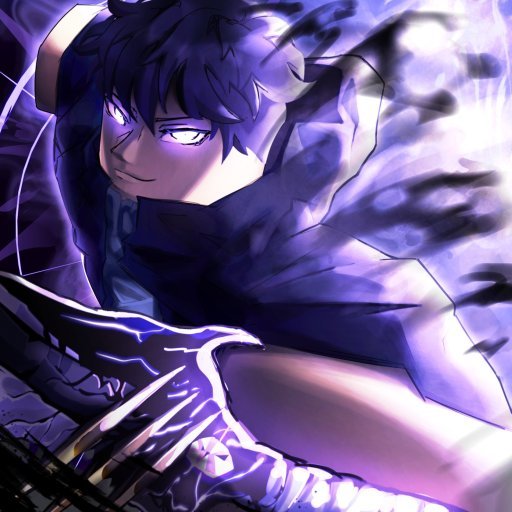
All working Solo Showdown codes
Click a code to copy it. Tried one? Tap Yes or No so other players know whether it still works.
| Code | Reward | Did it work? |
|---|---|---|
| 7,500 Won | Thanks! | |
| 2,500 Won | Thanks! | |
| 5,000 Won | Thanks! |
Solo Showdown drops you into an arena with a basic skill, a health bar, and a lobby full of other players who all want the same thing you do: to be the last fighter standing. It is openly inspired by Solo Leveling — the webtoon and anime about the weakest hunter who becomes anything but — and it borrows that story's flavour of awakening powers and climbing from nobody to nightmare.
The game is by the Anime Revival group and has passed 6.2 million visits. It is still labelled as an alpha, so the odd bug or moment of lag comes with the territory, but the core loop is complete and busy: fight, earn, upgrade, and fight again with better tools.
How a run works
Everyone starts small. Defeat a few opponents around the map and your kill count climbs; kills are what you spend on new skills that multiply your power, and on the accessories and emotes that mark you out in the lobby. The controls are fighting-game simple — punch on a click, block, dash, and an awakening move once you have earned it — so matches are decided by timing and positioning rather than by menus.
Because stronger skills are bought rather than found, the early game is about picking your fights. Hunt players at your own level, bank the kills, and only challenge the arena's heavy hitters once your build can back it up.
The codes — and one quirk
Three codes are currently confirmed, worth 15,000 Won between them. Won is the currency that buys accessories and emotes, so this set is aimed squarely at kitting out your fighter. All three are in the panel above.
The quirk: two of them are entered through the game's codes box in the usual way, but the third is a chat command — you type it into the in-game chat instead, exactly as it appears in the panel, exclamation mark and all. It is an older redemption style the game has kept alongside the codes box, and it catches a lot of players out.
How to redeem
- Open the game and load into the arena.
- For the standard codes, open the codes box, type the code exactly as shown in the panel, and confirm.
- For the chat-command code, open the chat, type the full command from the panel word for word, and send it.
- Your Won is added to your balance as soon as a code is accepted.
Why a code might fail
These codes have been live a long time by Roblox standards, and long-lived codes can be switched off without notice — if one is refused, it has most likely expired. The other usual suspects apply too: a mistyped character, or using the chat command in the codes box (and vice versa). Try the other method before giving up on one.
New codes for Solo Showdown have historically arrived with updates rather than to a schedule, and the game has been quiet on that front — all the more reason to claim the current three while they are still confirmed working.
Frequently asked questions
How do I redeem codes in Solo Showdown?
Two codes go into the in-game codes box. The third is a chat command: open chat and send it exactly as shown in the panel, including the exclamation mark at the start.
What is Won used for?
Won is Solo Showdown's currency for accessories and emotes. The three current codes pay out 15,000 Won in total.
Why didn't my code work?
It may have expired — these codes have been live a long time. Also check you used the right method: the chat command will not work in the codes box, and the standard codes will not work in chat.
Is Solo Showdown finished?
Not quite — the developer still labels it an alpha, so occasional bugs and lag are expected, but the full fight-earn-upgrade loop is playable.
More Roblox codes worth a look
 Break Stuff Simulator Codes (November 2026)Updated 18 November 2026
 PIECE RNG Codes (November 2026)Updated 18 November 2026
 CaseOh Eating Simulator Codes (November 2026)Updated 18 November 2026
 Catalog Avatar Creator Codes (November 2026)Updated 18 November 2026
 Dress-Up Impress Codes (November 2026)Updated 18 November 2026