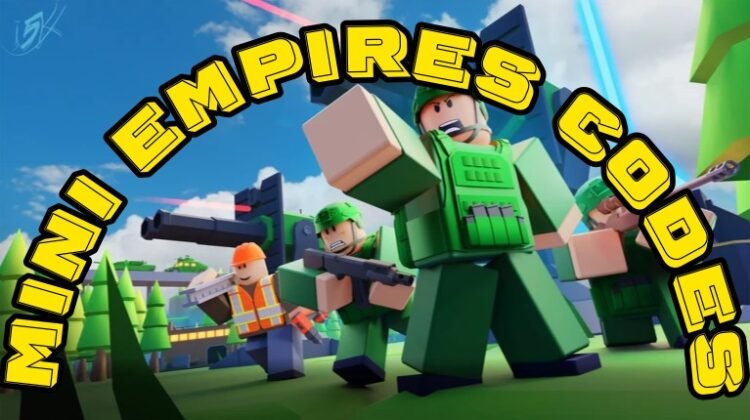
Looking for the latest Mini Empires Codes? You’ve landed in the right place. Mini Empires is a competitive Roblox real-time strategy game where players build powerful bases, recruit armies, and battle rivals in multiplayer warfare. Victory depends on smart tactics, strong defenses, and the ability to outplay your opponents.
Customization also plays a big role in the game. From intimidating skins to unique cosmetic upgrades, there are plenty of ways to stand out on the battlefield. Since many premium cosmetics require Gems, redeeming free codes is one of the easiest ways to stock up on this valuable currency. Below, you’ll find all active Mini Empires codes, redemption instructions, and tips for finding future rewards.
All New Mini Empires Codes
Redeem these active Mini Empires codes before they expire:
- MINI2026: 100 Gems (NEW)
- VIREAL: 100 Gems (NEW)
These rewards can help you unlock exclusive skins and other premium items without spending Robux.
Expired Mini Empires Codes
The following codes no longer work:
- COMEBACKUPDATE
- FOLLOWAVALLACHI
- DUNE
- MISSIONSUPDATE
- LATEBATTLEPASS
Expired codes cannot be redeemed, so make sure to use newly released rewards as soon as possible.
How to Redeem Mini Empires Codes
Redeeming codes in Mini Empires only takes a few moments. Follow these steps:
- Open Mini Empires on Roblox.
- Locate and click the Codes button on the right side of the screen.
- Enter an active code into the “Type promo code here…” text box.
- Press the Redeem button.
- Receive your rewards instantly.
Always copy codes directly from our list to avoid typing errors.

How to Get More Mini Empires Codes
The easiest way to stay updated with new Mini Empires rewards is to bookmark this page. We regularly monitor game updates and add newly released codes as soon as they become available.
Players who prefer official sources can also join the VIREAL Roblox Community. Developers frequently share update announcements, event information, and occasional promotional codes through community posts. Keeping an eye on official channels can help you discover rewards early.
Why Are My Mini Empires Codes Not Working?
If a code isn’t working, several common issues may be causing the problem.
The Code Has Expired
Mini Empires codes often have a short lifespan. If you receive an error message stating the code is invalid or expired, it has likely been removed by the developers.
You Entered the Code Incorrectly
Even a small typo can prevent a code from working. Double-check capitalization, numbers, and special characters before redeeming.
The Server Hasn’t Updated Yet
Some newly released codes only function on updated servers. If a fresh code doesn’t work immediately, wait a few hours and join a newer server before trying again.
Temporary Game Issues
Occasionally, Roblox server problems can interfere with code redemption. If everything appears correct, restart the game and try again later.
More Roblox Codes You May Like
If you’re searching for additional Roblox freebies, check out these popular code guides:
- Anime Mania Codes
- Solo Hunters Codes
- Hunters Codes
- Project Smash Codes
- Restaurant Tycoon 3 Codes
- Steal a Brainrot Codes
- Catch and Tame Codes
- Anime Squadron Codes
- Anime Conquest Simulator Codes
These games regularly release free rewards, including gems, cash, rerolls, boosts, and exclusive items.
Conclusion
Those are all the currently available Mini Empires Codes. Free Gems can give you a valuable head start when unlocking skins and customizing your army for battle. Since developers frequently release and remove codes without much notice, it’s a good idea to redeem active rewards quickly and check back often for updates.
Whether you’re building the ultimate fortress or leading your troops into battle, these freebies can make your RTS journey even more rewarding.
FAQs
What are the newest Mini Empires codes?
The newest active Mini Empires codes are MINI2026 and VIREAL, both rewarding players with free Gems.
Why can’t I redeem Mini Empires codes?
Most redemption issues happen because the code has expired, was entered incorrectly, or requires an updated server version to work properly.