Home › Puzzle Games › How to Reset Your Wordle Streak and Stats on iPhone and Android
How to Reset Your Wordle Streak and Stats on iPhone and Android
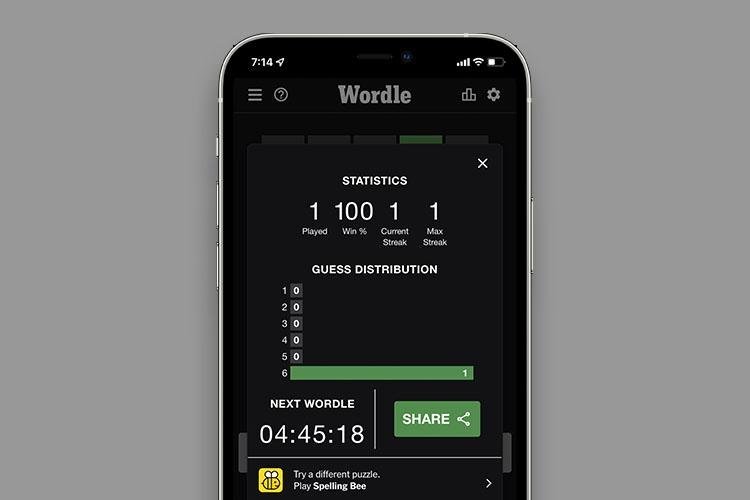
Maybe a brutal double-letter answer ended a 90-day run. Maybe your win percentage has a dent in it you would rather forget. Whatever the reason, plenty of players eventually want to wipe their Wordle statistics and start from a clean slate — and the good news is that it is easy once you understand where Wordle keeps your numbers. This guide covers the reset on iPhone and Android, plus an honest warning about what not to do.
Why This Works: Your Stats Live in Your Browser
If you play Wordle in a mobile browser without an account, your games played, win percentage, streak and guess distribution are stored in that browser's local storage on your phone. There is no server-side record to delete. Erase the browser data for the site and Wordle greets you next time as a brand-new player with spotless zeros. One caveat: statistics attached to a signed-in NYT account follow the account rather than the device, so clearing a browser will not reset those.
Before You Start: Remove the Home Screen Shortcut
If you added a Wordle bookmark or shortcut to your home screen, delete it first — long-press the icon and choose Delete Bookmark or Remove. This avoids the old shortcut reopening a cached session after you have cleared everything.
Reset on iPhone (Safari)
- Open the Settings app and tap Safari.
- Tap Clear History and Website Data.
- Confirm with Clear in the pop-up.
Reopen Wordle and your statistics will be back to zero. Note that this also clears your general Safari history and signs you out of websites, so treat it as a browser-wide spring clean rather than a Wordle-only button.
Reset on Android (Chrome)
- Open Chrome and tap the three-dot menu.
- Tap History, then Clear Browsing Data.
- Choose a time range — All time to be thorough — and tap Clear Data.
Android users have a second route if the first does not take: open Settings > Apps > Chrome > Storage and clear the app's data or cache, which removes the stored site data directly.
Reset in Firefox
In Firefox on mobile, tap the menu button, open History, then choose Clear Recent History and select the time range to delete. If the stats still linger afterwards, deleting and reinstalling the browser app gives you a guaranteed-clean install with no leftover data.
The Option You Should Not Use
Some older guides list factory resetting the phone as a last resort. Do not do this over a word game. A factory reset wipes or reconfigures your entire device — photos, apps, settings and all — to fix a number stored in one browser. Clearing the browser data achieves the same result in under a minute.
A Gentler Alternative: Incognito Mode
If your real goal is simply to stop tracking yourself, skip the reset entirely and play in a private or incognito tab. Private sessions store nothing, so your stats reset themselves every time you close the tab — and as a bonus, a fresh private window lets you attempt the day's puzzle again for practice. Just remember that games played privately never build a streak at all.
Frequently asked questions
Where are my Wordle statistics stored?
For browser players, in the browser's local storage on your device — which is why clearing browser data resets them. Stats on a signed-in NYT account are tied to the account instead.
Will clearing my browser data delete anything else?
Yes. Clearing history and website data also removes your browsing history and can sign you out of other websites in that browser. The Wordle reset is a side effect of a browser-wide clear.
Does resetting work in the NYT Games app?
The methods here apply to playing in a mobile browser. Statistics attached to your NYT account sync with the account and are not wiped by clearing a browser.
How can I play Wordle without recording stats at all?
Use a private or incognito tab. Nothing is saved, so every session starts fresh and no streak is tracked — close the tab and the record is gone.
More puzzle game guides
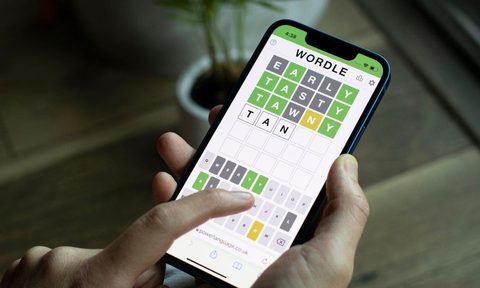 How to Play Wordle: A Beginner's Step-by-Step GuideUpdated 12 November 2026
 Past Wordle Answers: How to Check Every Previous WordUpdated 12 November 2026
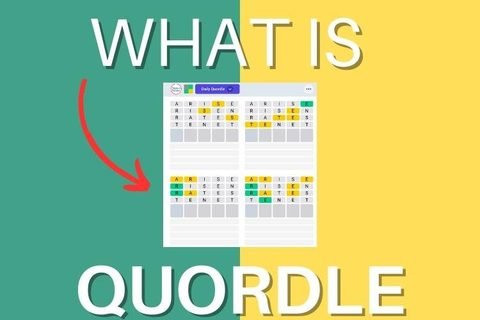 What Is Quordle? Wordle's Four-Word Challenge ExplainedUpdated 12 November 2026
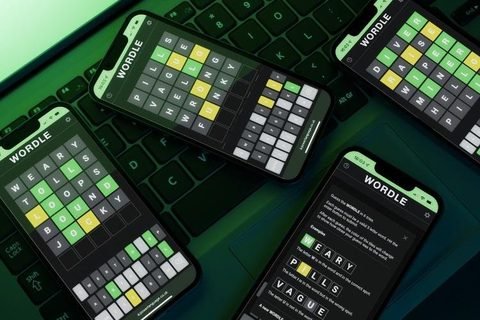 What Is Wordle? The Daily Word Game ExplainedUpdated 12 November 2026
 Wordle Tips and Tricks: 8 Habits That Win More GamesUpdated 12 November 2026