Home › Minecraft › How to Stop Time in Minecraft With the Tick Command
How to Stop Time in Minecraft With the Tick Command
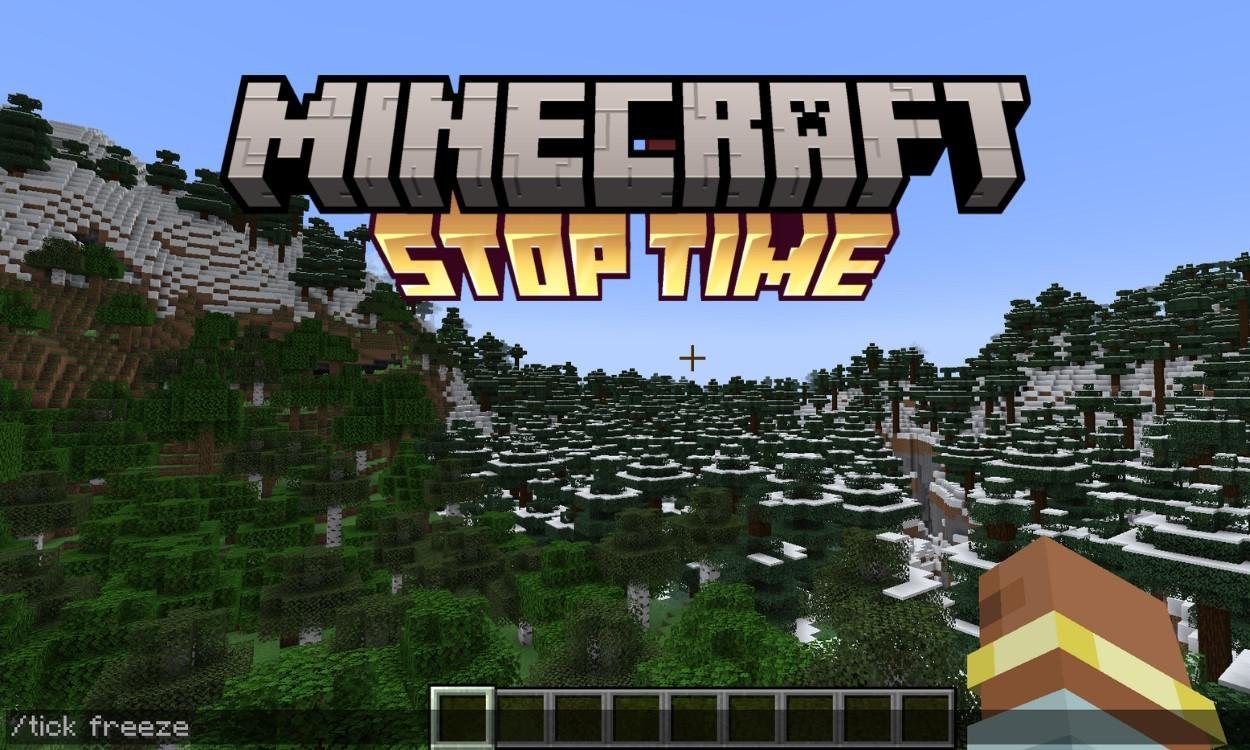
There is a special kind of screenshot that is impossible in normal Minecraft: a creeper frozen mid-explosion, a waterfall hanging still, an arrow paused halfway to its target. The /tick command makes all of them easy. Added to Java Edition in 1.20.3, it hands you direct control over the game's heartbeat. You can freeze the entire world while you walk around inside it, advance time one precise slice at a time, or bend the tick rate into slow motion. Here is the full toolkit.
Freezing Time: /tick freeze
With cheats enabled, type:
/tick freeze
Everything stops. Mobs freeze mid-stride, falling blocks hang in the air, particles and even lightning strikes hold their pose. The one thing that does not stop is you: the player keeps full movement, which turns the frozen world into a walk-through diorama. Map makers use it to build freeze-frame puzzles, and everyone else uses it for the best photographs the game allows. Nothing takes damage and nothing despawns while the world is held, so take your time setting up the shot.
Resuming Time: /tick unfreeze
/tick unfreeze releases the world exactly where you left it. Frozen mobs resume their paths, suspended falls complete, and the game continues as if the pause never happened. Freeze and unfreeze together are also a gentle diagnostic tool: freeze a chaotic scene, walk in, inspect what every mechanism and mob is doing, then unfreeze and watch it play out.
Changing the Tick Rate: Slow Motion and Fast-Forward
Freezing is all or nothing, but the rate subcommand bends time instead of stopping it:
/tick rate <value>
The value is ticks per second, and the default is 20. Drop below 20 and the world slides into slow motion, with mobs, projectiles and physics all moving in syrup while you react at normal speed. Push above 20 and everything fast-forwards. Set the rate back to 20 to return to normal. For watching a redstone contraption cycle or surviving a fight in dramatic slow motion, this is the setting to play with.
Stepping Forward: /tick step
While the world is frozen, step lets time move by an exact, measured amount:
/tick step <time>
The world runs for the specified number of ticks or seconds, then freezes again on its own. That precision is gold for testing: freeze a farm or a machine, step a fixed window, and see exactly what changed, with no extra seconds muddying the result. If a step is running longer than you want, /tick step stop ends it immediately and refreezes the world on the spot.
A Few Notes Before You Play God
The command is Java-only and needs cheats, and it has a few further syntaxes beyond the ones covered here, including sprinting time forward as fast as the game can process it and querying the current tick state. For everyday use, freeze, unfreeze, rate and step are the four that matter. One last tip: frozen worlds make entity-heavy scenes safe to build in, because nothing wanders off while you work. Just remember to unfreeze before you blame the game for a farm producing nothing.
Frequently asked questions
Can you move while time is frozen with /tick freeze?
Yes. The freeze applies to mobs, entities, blocks and particles, but the player keeps moving normally. That is what makes it so useful for screenshots, inspections and map making.
What Minecraft version added the /tick command?
The /tick command arrived in Java Edition 1.20.3. It is not available on Bedrock, and it requires cheats to be enabled.
How do you make slow motion in Minecraft?
Use /tick rate with a value below the default 20 ticks per second. The lower the number, the slower the world moves, while you continue to act at your normal speed.
What is the difference between /tick step and unfreezing?
Unfreezing lets time run freely until you stop it again. /tick step advances a frozen world by an exact number of ticks or seconds and then automatically freezes it again, which is ideal for controlled tests.
More Minecraft guides
 What Do Llamas Eat in Minecraft? Wheat and Hay Bales ExplainedUpdated 12 November 2026
 What Do Pigs Eat in Minecraft? (Breeding Food Guide)Updated 12 November 2026
 What Do Polar Bears Eat in Minecraft? (The Honest Answer)Updated 12 November 2026
 What Do Horses Eat in Minecraft? Every Food and Its EffectsUpdated 12 November 2026
 All Wolf Variants in Minecraft and Where to Find ThemUpdated 12 November 2026