Home › Roblox Codes › Don't Anger the Button Codes (November 2026)
Don't Anger the Button Codes (November 2026)
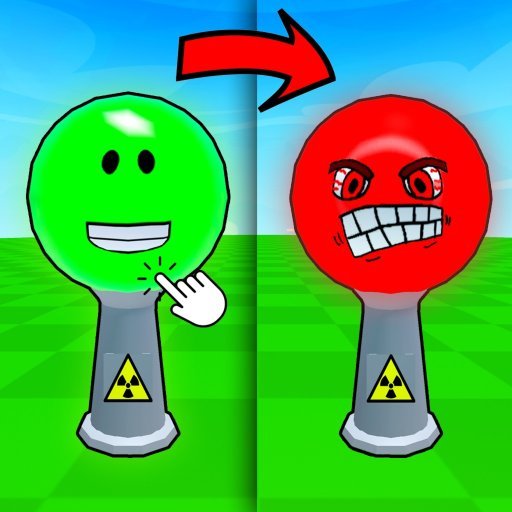
All working Don't Anger the Button codes
Click a code to copy it. Tried one? Tap Yes or No so other players know whether it still works.
| Code | Reward | Did it work? |
|---|---|---|
| 500 Coins | Thanks! | |
| 500 Coins | Thanks! | |
| 200 Coins | Thanks! | |
| 150 Coins | Thanks! | |
| 150 Coins | Thanks! |
There is a big red button sitting in the middle of nowhere, and the whole game is built around one bad idea: pressing it. Don't Anger the Button drops you into an arena with that button, a crowd of other players, and absolutely no guarantee of what happens next. One press might start a minigame. The next might drop something on your head. Coins are the reward for surviving the chaos, and the five verified codes in the panel above are worth 1,500 Coins in total.
If the name looks unfamiliar, that is because the game has changed it. This experience launched as Don't Press The Button X, and plenty of older code lists still use that title, but the live Roblox listing now calls it Don't Anger the Button. It is the same place, the same Fun-Tastic Games group behind it, and the same button — only the sign above the door has been repainted. The game has pulled in more than 83 million visits, and over a thousand people were playing when we checked.
What Coins actually buy
Coins are the game's only currency, and they feed two habits. The first is the prank shop: spend Coins on pranks and you can disturb other players mid-round, which is half the fun when a friend is the one standing next to the button. The second is gear that helps you come through the minigames in one piece. You also earn Coins simply by staying in the game — the longer you play, the more you collect — and playing alongside friends multiplies what everyone earns, so a full server pays better than an empty one.
How to redeem a code
- Open Don't Anger the Button on Roblox and join a server.
- Press the CODES button on the left side of the screen.
- Type or paste a code from the panel above into the Enter Code box, exactly as it is written.
- Hit Redeem and the Coins land in your balance straight away.
Codes here are case-sensitive, so a code typed from memory with one wrong capital letter will fail even while it is still working. Copy and paste wherever you can.
If a code will not work
Start with the spelling, then check you have not already redeemed it — these codes are one-use per account. If both are fine, the code has most likely expired. This game's codes tend to live fast: the developers tie them to milestones such as visit counts and group member counts, and older milestone codes quietly stop working as new ones arrive. That is exactly why this page only carries codes confirmed in two separate places, and why anything we could not double-confirm was left out rather than listed on a guess.
Where new codes show up
Unusually for Roblox, this developer prints the current codes directly in the game's own description on its Roblox page, which is where the lists below were cross-checked. Joining the Fun-Tastic Games group is worth doing too: members get a daily group reward on top of the code Coins, and new codes are announced around member milestones — the clue is usually in the celebration itself, so when the group passes another big round number, a fresh code tends to follow.
Frequently asked questions
Is Don't Anger the Button the same game as Don't Press The Button X?
Yes. The experience launched under the Don't Press The Button X name and the live listing has since been retitled Don't Anger the Button. Same place, same developer group (Fun-Tastic Games), same button — older guides using the old name are talking about this game.
How many working codes are there right now?
Five codes passed our two-source check for November 2026, worth 1,500 Coins in total. Every one of them is also printed by the developer in the game's own Roblox description, which is about as first-party as a confirmation gets.
How do I redeem codes in Don't Anger the Button?
Press the CODES button on the left side of the screen, type the code into the Enter Code box exactly as written, then press Redeem. The Coins are added immediately, and each code works once per account.
What should I spend Coins on first?
Gear that helps you survive minigames is the safer early buy, because staying in rounds longer earns you more Coins over time. Pranks are the fun spend once your balance is healthy — they let you stir up trouble for other players near the button.
More Roblox codes worth a look
 Ninja Parkour Codes (November 2026)Updated 18 November 2026
 Dragon Merge Tycoon Codes (November 2026)Updated 18 November 2026
 My Perfect Hotel Codes (November 2026)Updated 18 November 2026
 Ultimate Soccer Codes (November 2026)Updated 18 November 2026
 Blub Defense Codes (November 2026)Updated 18 November 2026