Home › Roblox Codes › Coffee Please! Codes (November 2026)
Coffee Please! Codes (November 2026)
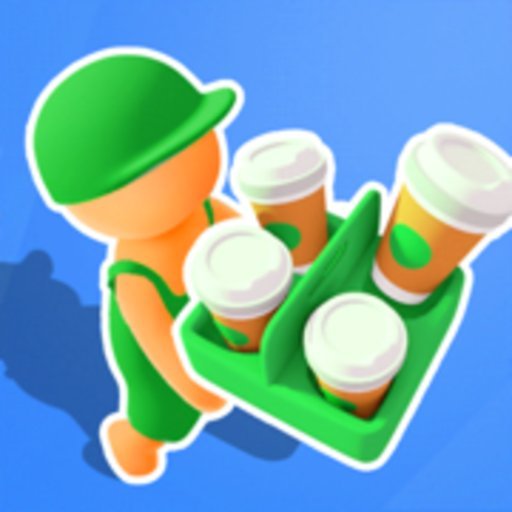
Click a code to copy it. Tried one? Tap Yes or No so other players know whether it still works.
| Code | Reward | Did it work? |
|---|---|---|
| 50 Cash | Thanks! | |
| 50 Cash | Thanks! |
Coffee Please! is a coffee shop tycoon with a simple, satisfying loop. You start in an empty store with a handful of free starter pieces, a cash register, a coffee machine and a table, and your first job is to buy those free upgrades, set the shop up and serve your very first customer. Every cup you sell earns Cash, and that Cash goes straight back into the business: more tables so more customers can sit down, extra coffee machines so the queue moves faster, and eventually a drive-thru that keeps the money flowing even when the shop floor is full.
Developer Block Game built the game around steady expansion. Keeping the store clean and your customers happy keeps the earnings coming, and as your balance grows the upgrades get bigger and pricier. That early stretch, when you are saving for your second and third machines, is where progress feels slowest, and it is exactly where a small injection of free Cash helps most.
What the codes give you
Both verified codes pay out Cash, and both are tied to like milestones, which is how this developer prefers to release them. The amounts are modest rather than game-breaking, so think of them as a head start: enough to pull one upgrade forward and get your shop earning faster sooner. The game's own page says the next code arrives when the game reaches 6,000 likes, so the list grows slowly and each code tends to stay available for a long while.
How to redeem codes in Coffee Please!
- Open Coffee Please! on Roblox and load into your shop.
- Walk up to the gift box in the middle of the map and touch it to open the code window.
- Type your code into the box exactly as shown. Codes are case-sensitive.
- Press Enter and the Cash is added to your balance.
There is no codes menu hidden in the settings here; if you are wandering around looking for a button, the gift box is the whole system. If a code fails, double-check the spelling and capitals first, because these milestone codes use lowercase lettering and a single wrong character will stop them working.
Making the most of a small shop
Spend your Cash on capacity before cosmetics. An extra table or machine raises how much you earn every minute, while decorations only help once the basics are covered. Watch the queue, too: customers who wait too long are money walking out of the door, so if the line is backing up, your next purchase should be whatever speeds up service. Redeem the codes above before a big saving session, reinvest everything, and your little starter store turns into a proper coffee empire faster than you would expect.
Because new codes only appear at like milestones, there is no fixed schedule to follow. Favouriting the game and checking back after it passes a big likes number is the best way to catch the next one.
One last habit worth building: redeem new codes the moment you spot them, even if your balance looks healthy. Milestone codes in tycoon games have a habit of quietly expiring once the next milestone takes the spotlight, and 50 Cash claimed today is worth more than a bigger code you missed by a week. It only takes a few seconds at the gift box, and your future self, the one saving for the drive-thru, will thank you for it.
Frequently asked questions
How do I redeem codes in Coffee Please!?
Walk up to the gift box in the middle of the map and touch it, type your code into the box, then press Enter. There is no codes button in the menus.
What do Coffee Please! codes give you?
Cash, which is the money you spend on shop upgrades like tables, coffee machines and the drive-thru. Both currently verified codes pay out 50 Cash each.
When do new Coffee Please! codes come out?
The developer releases them at like milestones. The game's Roblox page says the next code is due when the game reaches 6,000 likes.
Why did my Coffee Please! code fail?
The codes are case-sensitive and written in lowercase, so type them exactly as listed with no extra spaces. A code that still fails after that has likely expired.
More Roblox codes worth a look
 Wallrun Obby Codes (November 2026)Updated 18 November 2026
 Futuristic Lab Tycoon Codes (November 2026)Updated 18 November 2026
 Plushie Outlet Codes (November 2026)Updated 18 November 2026
 Anime Sword Simulator Codes (November 2026)Updated 18 November 2026
 Yeet Cannon Codes (November 2026)Updated 18 November 2026