Home › Roblox Codes › City Life Codes (November 2026)
City Life Codes (November 2026)
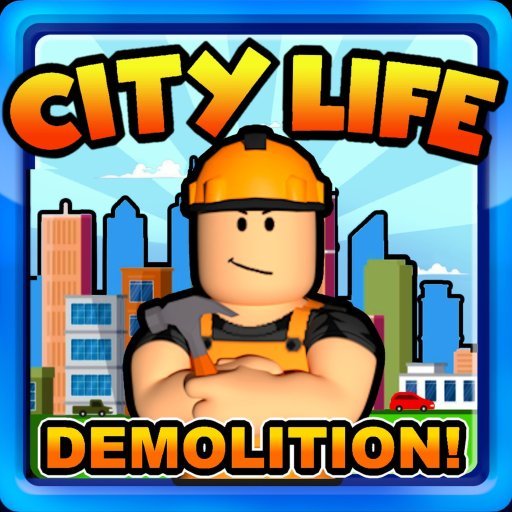
City Life, by Simple Games Incorporated, is a long-running town roleplay game with over 166 million visits. You choose who to be — firefighter, police officer, cook, cleaner and more, with the Demolitionist job added in the 7.0 update — then earn cash, buy and decorate a house, and drive around a city full of other players doing the same. It is a gentle, social game: the fun is in the jobs, the homes and the roleplay you build with friends.
Are there any working City Life codes?
None that we can verify, and we would rather say so plainly. City Life has only ever had one widely known code — a starter code that gave an office chair and desk for your first home. Some guides still list it as working, and it may well still function in game. But the main code tracker's current status for it is unverified: its checkers have not confirmed it in game, and the guides listing it as working are working from old tests. Our rule is that a code needs two sources to agree it is active, with at least one fresh in-game check behind it — this one does not clear that bar in November 2026, so the panel stays empty and the code is named in the FAQ below for full transparency.
How to redeem codes in City Life
- Open City Life on Roblox.
- Click the Twitter icon on the left side of the screen.
- Type the code into the Enter Code Here box.
- Click the green arrow button to claim the reward.
Setting up your first home
Codes were only ever a small shortcut here — the real progression is your job. Pick a role, work shifts to build up cash, and spend your first earnings on the home basics: somewhere to sit, a desk, a bed. Furniture is what turns an empty plot into a roleplay space other players want to visit. Joining the Simple Games community is worthwhile too — the developers let members vote on where the game's charity donations go, and it is the first place any future code would be announced, alongside the official @SimpleGamesInc Twitter account.
Jobs, cars and calling the city home
Each job plays differently, and trying several is the fastest way to find your rhythm. Firefighters and police officers get the callouts and the chaos; cooks and cleaners keep the city's businesses running; the Demolitionist, added in Update 7.0, gets to blow things up on purpose, which tells you everything about why it is popular. Earnings from any of them feed the same goal: a better house and a better car. Spring weather arrived with the same update, and the city regularly refreshes around the seasons, so it is worth revisiting even if you played years ago. Join the Simple Games group if you enjoy it — members vote on where the game's charity donations go, which is a genuinely nice touch, and community announcements are where any future code would appear first.
Frequently asked questions
What about the 'getting started' code I see on other sites?
That is City Life's one famous code — it gave an Office Chair and Office Desk. Some guides still list it as working, but the main tracker currently holds it at unverified status with no fresh in-game confirmation, so we do not list it as verified. It costs nothing to try it in the code box.
Why is the code panel empty?
Because no City Life code passes a two-source check right now. We would rather show an honest empty list than copy a code whose status the trackers themselves will not confirm.
Where do I enter codes in City Life?
Click the Twitter icon on the left side of the screen, type the code into the Enter Code Here box, and click the green arrow button.
How do I earn money for furniture?
Take a job — firefighter, police officer, cook, cleaner, Demolitionist and more — and work it to earn cash, then spend it on furniture and cars in game.
More Roblox codes worth a look
 Random Rumble Codes (November 2026)Updated 18 November 2026
 Silent Assassin Codes (November 2026)Updated 18 November 2026
 Hunter X Athena Codes (November 2026)Updated 18 November 2026
 HxH: Ultimate Finale Codes (November 2026)Updated 18 November 2026
 Bizarre Blox Codes (November 2026)Updated 18 November 2026